
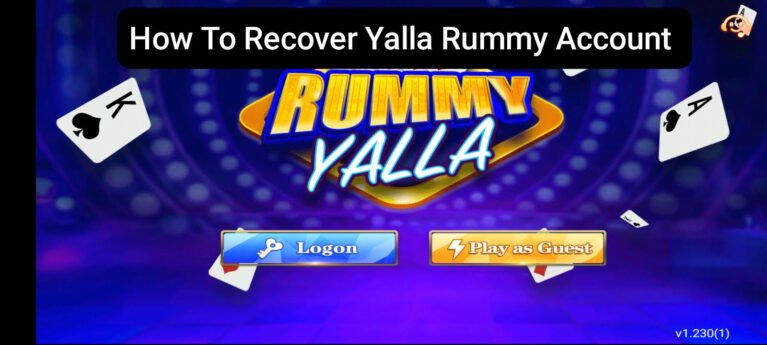
How to Recover Yalla Rummy Account
Losing access to your Yalla Rummy account is one of those situations that feels more stressful than it actually needs to be. Whether you forgot your password logged in from a new device and cannot get through or your account is showing some kind of error there are straightforward ways to get back in. This guide covers every recovery situation you might run into and exactly what to do about each one without overcomplicating it.
Forgot Your Password
This is the most common reason players cannot get into their account and it is also the easiest to fix.
- Open Yalla Rummy and tap on Login
- Look for the Forgot Password option on the login screen
- Tap it and enter your registered mobile number or email
- A verification code will be sent to your number or email
- Enter the code when prompted
- Create a new password and confirm it
- Tap submit and log in with your new password
The whole process takes less than two minutes as long as you still have access to the phone number or email linked to your account.
Cannot Remember Your Registered Number or Email
This one is trickier but still fixable. If you genuinely cannot remember which number or email you used to register try the following before reaching out to support.
Think back to which number you were using at the time you created the account. Most players register with their primary SIM card so it is usually the number you use most often.
Check your email inbox for any registration confirmation or welcome message from Yalla Rummy. That email will show you exactly which address was used to sign up.
If you used a guest login when you first started the account may be tied to your device rather than a specific number or email which means the recovery process is different and requires contacting support directly.
Account Logged Out After Phone Change
Switching to a new phone sometimes logs you out of apps automatically. Getting back in after a phone change is straightforward if you remember your credentials.
- Download Yalla Rummy on your new device
- Open the app and tap Login
- Enter your registered mobile number and password
- If you forgot your password use the Forgot Password option as described above
- Once logged in your account balance game history and referral data will all be there exactly as you left them
Your account lives on the server not on your old phone so changing devices does not affect your balance or progress at all.
Account Showing as Suspended or Blocked
If you try to log in and receive a message saying your account has been suspended or blocked it usually means one of the following things happened.
The platform detected unusual activity on your account such as multiple login attempts from different locations or behaviour that triggered their security system. In some cases accounts are temporarily blocked as a precaution rather than a permanent action.
The most straightforward thing to do here is contact customer support directly. Explain the situation clearly provide your registered account details and ask them to look into what triggered the block. Most genuine cases where an account was blocked by mistake get resolved without much difficulty once support reviews the situation.
Account Hacked or Accessed by Someone Else
If you notice unfamiliar activity on your account such as chips being spent that you did not spend or settings being changed that you did not change act quickly.
- Try to log in immediately and change your password right away
- If you cannot get in use the Forgot Password option to reset your credentials
- Once you are back in go to your account settings and check for any linked devices or sessions you do not recognise
- Contact customer support and explain the situation so they can flag the account and investigate the unusual activity
- Avoid using the same password you use for other apps or platforms going forward
Guest Account Recovery
If you started playing on a guest account without registering properly this is one of the more difficult situations to recover from. Guest accounts are often tied to the device itself rather than a username and password which means if you clear the app data switch phones or uninstall and reinstall the app that guest account may not be recoverable through normal means.
The best option here is to contact customer support with as much detail as possible about the account including your approximate registration date the device you used and any transaction history you can provide. Support can sometimes trace guest accounts using device information or transaction records but recovery is not guaranteed in these cases.
This is also why completing full registration with your mobile number is always worth doing even if you start as a guest. It takes only a minute and protects everything you have built in your account from being lost.
How to Contact Yalla Rummy Support for Account Recovery
If none of the self service options work reaching out to customer support is the right next step. When you contact them have the following ready.
- Your registered mobile number or email address
- The approximate date you created your account
- Your last known account balance or any recent transaction details
- A description of the issue you are experiencing
- Any screenshots of error messages if you have them
The more detail you provide upfront the faster support can identify your account and resolve the issue. Sending a vague message asking for help without any account information just slows the process down for everyone.
How to Prevent This From Happening Again
Once you have recovered your account a few simple habits will make it much less likely that you end up locked out again.
Save your registered mobile number and password somewhere secure that only you can access. Not on a sticky note on your phone but somewhere genuinely safe.
Complete full registration if you have not already. A properly registered account with a verified mobile number is far easier to recover than a guest account or an account with incomplete details.
Avoid sharing your login details with anyone even people you trust. Most account access issues that cannot be explained by a forgotten password trace back to shared credentials.
Enable any available security features inside the app such as two step verification if the platform offers it. These add a small amount of friction to the login process but provide meaningful protection against unauthorised access.
Conclusion
Getting locked out of your Yalla Rummy account is not as permanent a situation as it might feel in the moment. Most recovery situations have a straightforward solution whether that is resetting your password through the app contacting support with your account details or recovering access after a phone change. The most important thing is to act calmly go through the relevant steps and reach out to support if you need to. Once you are back in take a few minutes to secure your account properly so you do not have to go through the same process again.
Frequently Asked Questions
Q1. How long does Yalla Rummy account recovery take? If you are using the self service forgot password option recovery happens within a few minutes as long as you have access to your registered number or email. If you need to go through customer support the timeline depends on the complexity of the situation but most straightforward cases are resolved within 24 to 48 hours.
Q2. Can I recover a Yalla Rummy guest account after reinstalling the app? Guest account recovery is not always possible through self service options because guest accounts are often tied to the device rather than a username. Your best option is to contact customer support with as much detail about the account as possible including device information and any transaction history you can provide.
Q3. My Yalla Rummy account was hacked and my balance is gone. What can I do? Contact customer support immediately with your account details and a clear explanation of what happened. Provide any transaction records or screenshots that show the unusual activity. The support team can investigate the situation and advise on what steps can be taken. Acting quickly gives you the best chance of a positive outcome so do not wait if you suspect your account has been accessed without your permission.