How to Use QR Code for Deposit in Yalla Rummy
Yalla Rummy is a popular online rummy card game that allows players to deposit money quickly and easily using a QR code. This method is one of the fastest and most convenient ways to add funds to your Yalla Rummy account without any complicated steps.
What is a QR Code Deposit?
A QR code deposit is a simple payment method where you scan a unique code with your mobile phone camera to transfer money directly into your gaming account. Instead of manually entering long account numbers or bank details you simply scan and pay within seconds.
Benefits of QR Code Deposit in Yalla Rummy
- Fast and instant payment
- No need to enter long account details
- Safe and secure transaction
- Works with JazzCash and EasyPaisa
- Available 24 hours a day
- No extra charges or hidden fees
How to Use QR Code for Deposit in Yalla Rummy
Step 1 — Open Yalla Rummy App
Open Yalla Rummy app and log in to your account using your registered phone number and password.
Step 2 — Go to Deposit Section
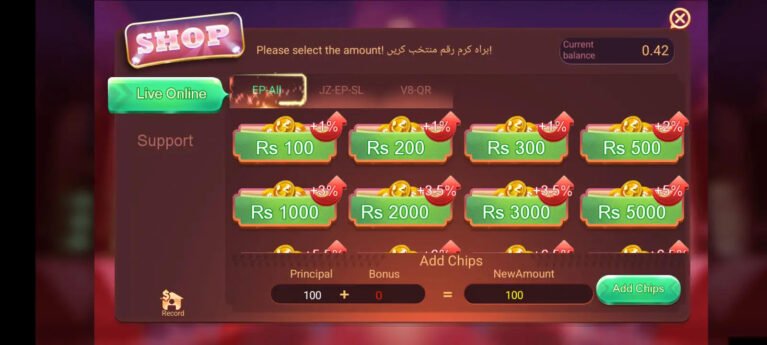
Tap on Wallet and select Deposit option from the main menu of the app.
Step 3 — Download QR Code
A unique QR code will appear on your screen. Tap the Download button to save the QR code image directly to your phone gallery.
Step 4 — Open JazzCash or EasyPaisa
Close Yalla Rummy and open your JazzCash or EasyPaisa app on your phone.
Step 5 — Go to Scan QR Option
Inside JazzCash or EasyPaisa tap on the Scan QR or Pay via QR option available on the home screen.
Step 6 — Select QR Code from Gallery
Instead of scanning with camera tap the Gallery or Upload Image option. Select the downloaded QR code image from your phone gallery.
Step 7 — Enter Amount
The payment details will load automatically. Enter the amount you want to deposit into your Yalla Rummy account.
Step 8 — Confirm Payment
Enter your JazzCash or EasyPaisa PIN to confirm the payment. Your Yalla Rummy balance will update instantly.
Important Tips for QR Code Deposit
- Always use the official Yalla Rummy app for deposits
- Never share your QR code with anyone
- Make sure your internet connection is stable before scanning
- Always double check the amount before confirming payment
- Keep a record of every transaction for future reference
- Contact customer support immediately if payment is deducted but balance is not updated
Minimum and Maximum Deposit Limit
| Type | Amount |
|---|---|
| Minimum Deposit | 100 PKR |
| Maximum Deposit | 50,000 PKR |
Common Problems and Solutions
Payment Deducted But Balance Not Updated
Wait for 5 to 10 minutes and refresh your wallet. If the issue continues contact Yalla Rummy customer support with your transaction receipt.
QR Code Not Scanning
Make sure your phone camera is clean and working properly. Try increasing the screen brightness and scan again.
Transaction Failed
Check your JazzCash or EasyPaisa balance before trying again. Make sure your internet connection is stable and retry the payment.
Conclusion
Using a QR code for deposit in Yalla Rummy is the fastest and most convenient payment method available for Pakistani players. It takes less than a minute to complete and your balance is updated instantly. Follow the steps above and enjoy a smooth and hassle free deposit experience every time.